Training Guidelines
A short reference for the choices that determine whether a trained model will perform well.
The model can only learn what is visible in the imagery
A model has no information beyond the pixels you give it. If you cannot reliably tell two classes apart by looking at the raster yourself, the model will not be able to either, no matter how much data you annotate. The same applies to small objects: if the thing you want to detect is only a handful of pixels across, the model has very little to work with.
Before annotating, look at a few representative spots in your imagery and confirm that the classes you want are visually distinguishable and that the objects are large enough to see clearly. If they are not, the path forward is higher-resolution imagery or different sensor data, not more annotations.
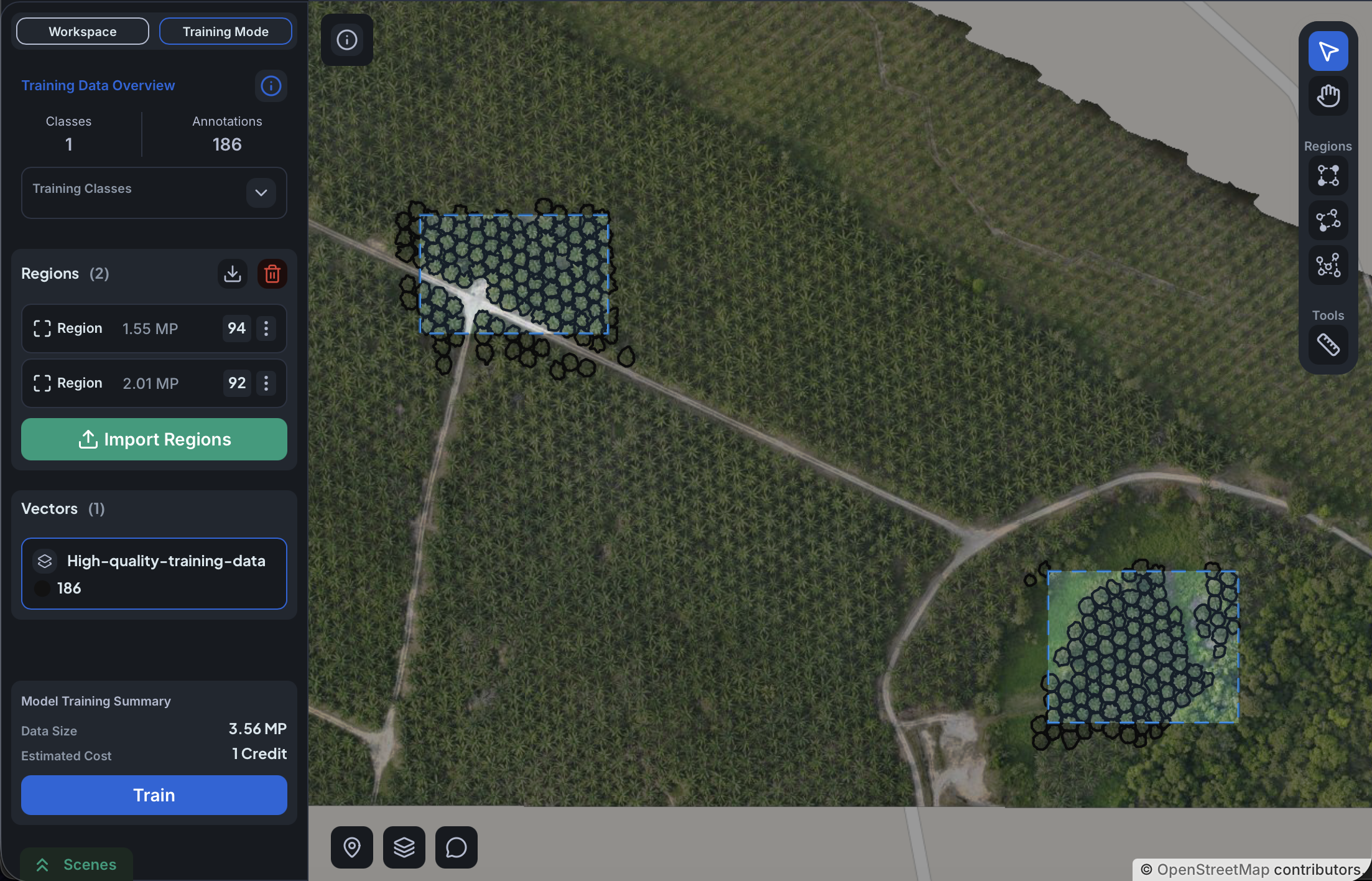
Annotate every instance inside each training region
Annotate every visible instance of every trained class inside each training region. Anything you leave unmarked is treated by the model as background. Over enough epochs this teaches the model that the class does not exist where it actually does, which then suppresses real detections at inference.
This is the single most common cause of underperforming models. If a region is too dense to annotate completely, shrink the region to only the part you can fully annotate. A small, fully annotated region is more useful than a large, partially annotated one.
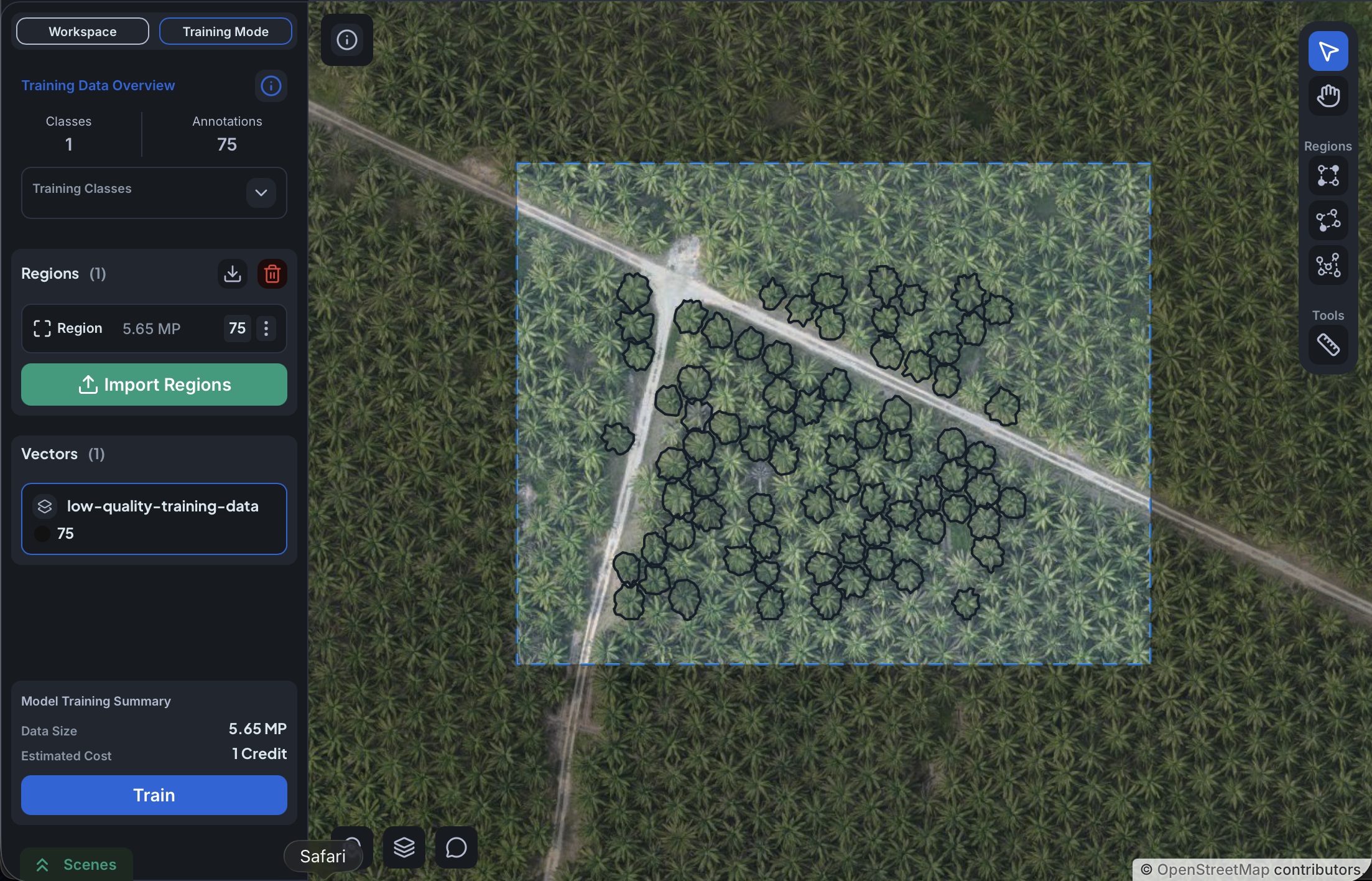
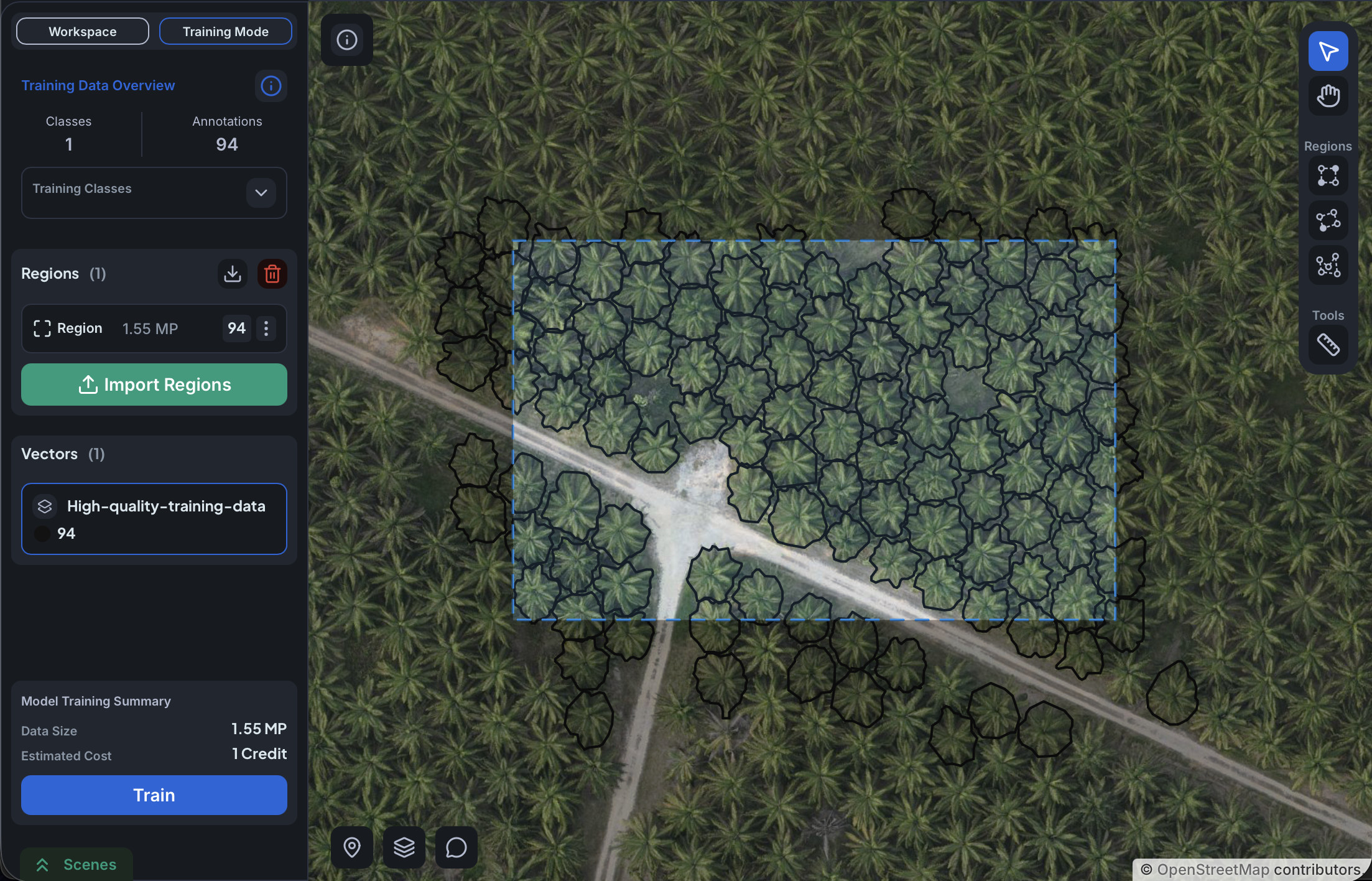
Size your training regions sensibly
Avoid both extremes. A training region that covers the entire raster is almost impossible to annotate completely, and the unannotated instances become negative evidence that degrades the model. A region barely larger than one or two annotations gives the model too little surrounding context: the class will appear there without the variety of backgrounds, lighting, and neighboring objects it will encounter at inference.
A useful starting size is a region that contains roughly ten to a few dozen instances of the class in their natural context, and that you can realistically annotate completely. Several medium-sized regions spread across different parts of the raster are more valuable than one giant region, because the model also benefits from seeing the class under different visual conditions.
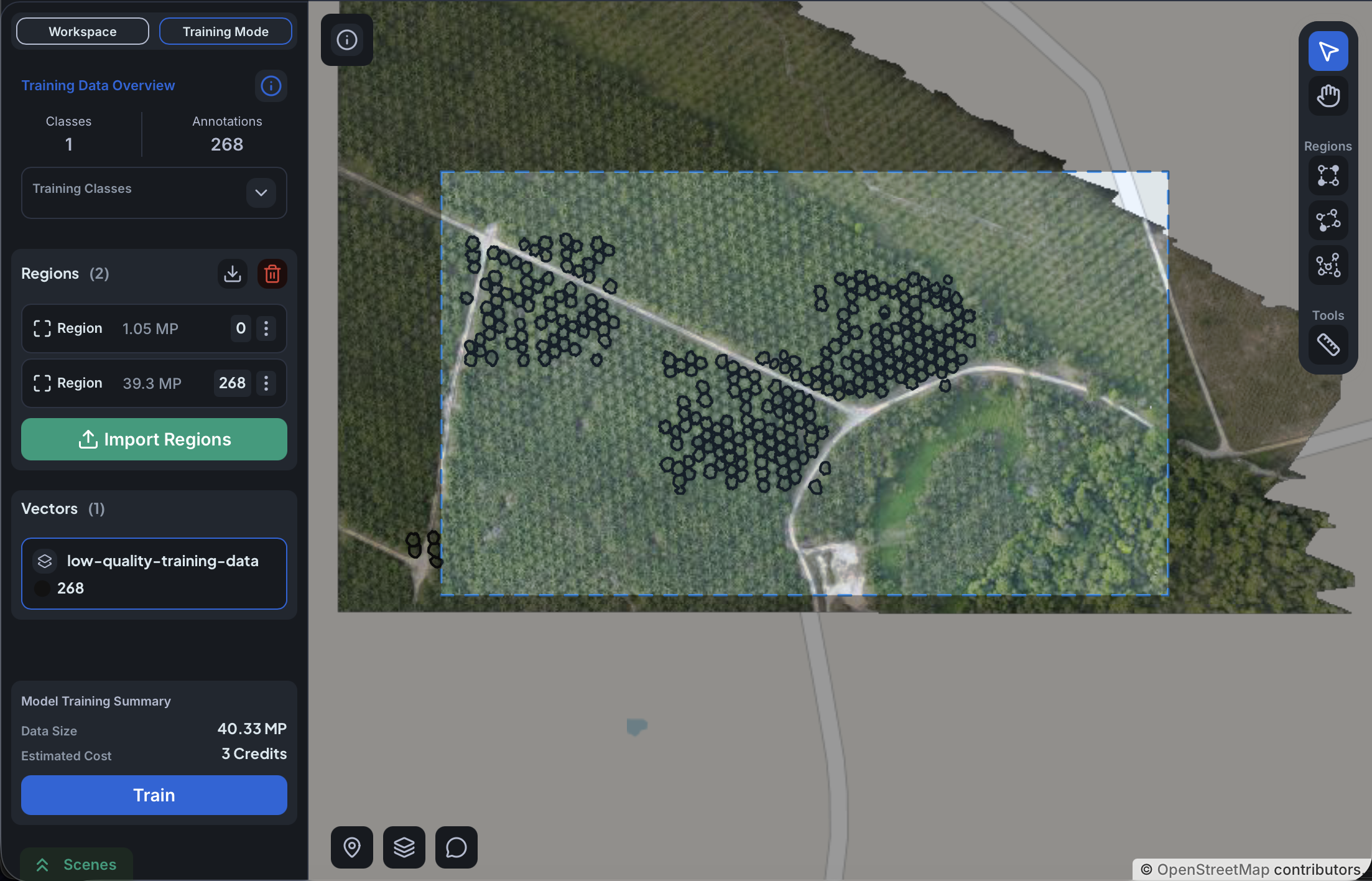
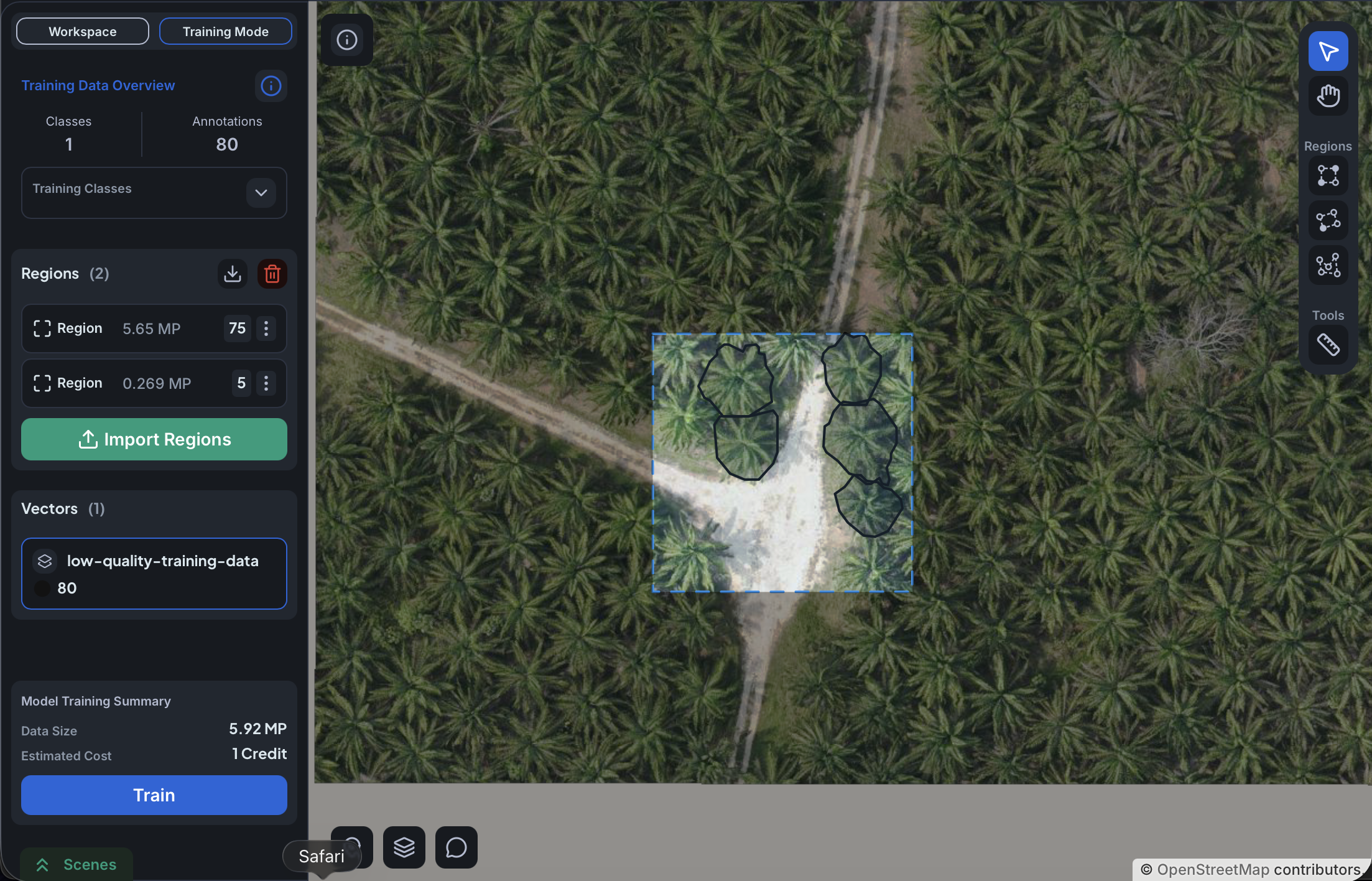
Class density within training regions
A separate question from region size: how much of the area inside a region actually contains the class? If a region is mostly background with just a few annotations, the model spends most of its time looking at the background and only sees a few examples of the class. Some of this is useful, because those tiles teach the model what is not the class. But if most of your regions look like that, the model has very few clear examples to learn from and quality drops.
The effect differs by model type. For object detection, the model needs more training tiles in total to compensate for how rare the class is in each one. For semantic segmentation the problem is milder but still there: a tile where the class covers only a small portion of the pixels teaches the model less than a tile where the class is more prominent.
Practical rule: most of your training regions should sit over areas where the class is reasonably present. If the class is genuinely rare in your imagery, draw smaller regions focused on dense pockets and add separate negative regions over the surrounding empty terrain rather than stretching positive regions to cover both.
Overlapping annotations behave differently per model type
For object detection, overlapping annotations are fine. Each is a separate instance, so a lake polygon with several boat polygons inside it trains the model to detect both. They coexist.
For segmentation projects, do not nest polygons. Draw the surrounding class around the inner objects (leaving the inner pixels outside the outer polygon), or use the polygon-hole feature to cut the inner objects out of the outer polygon. Each pixel must belong to exactly one class.
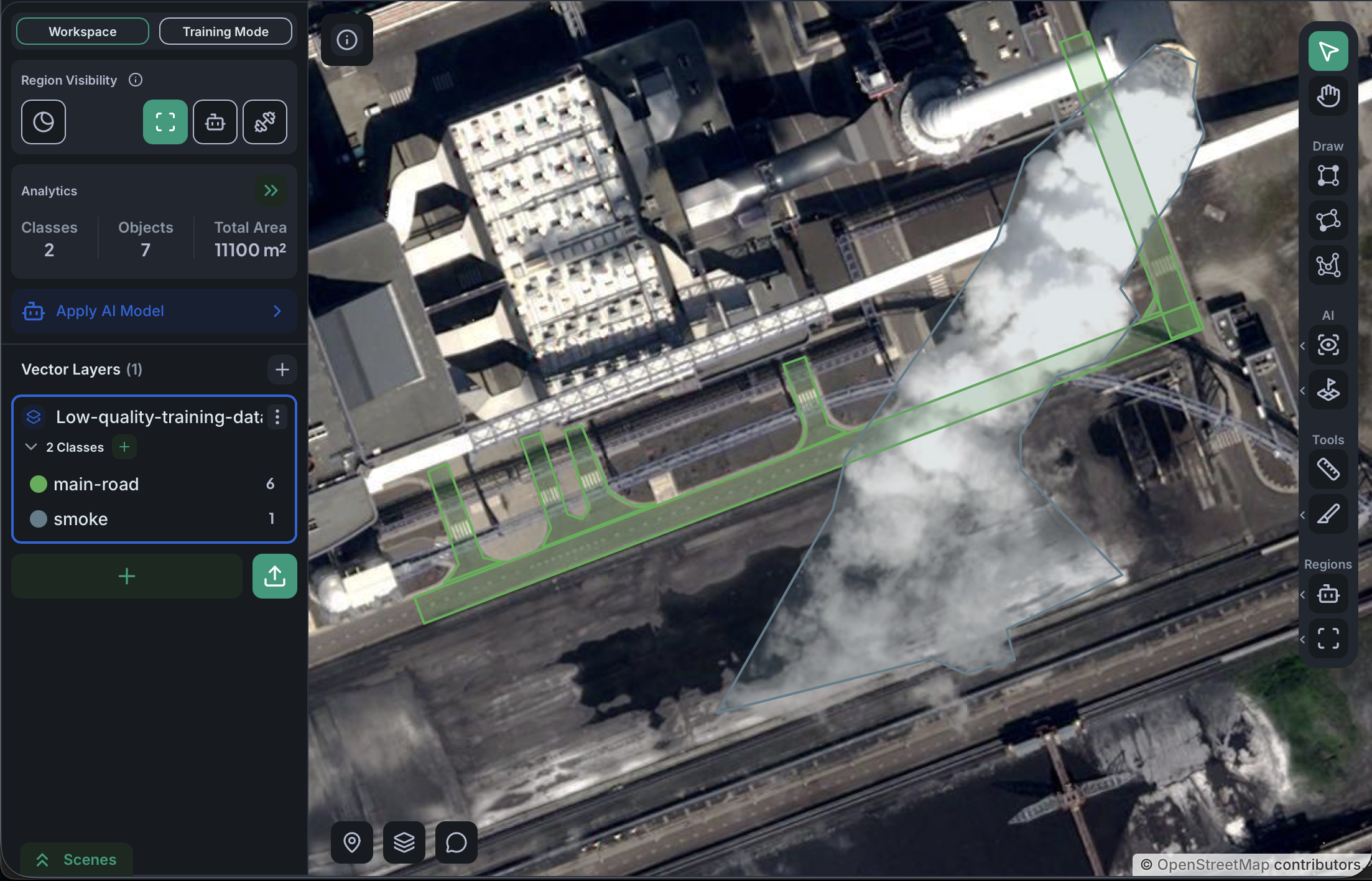
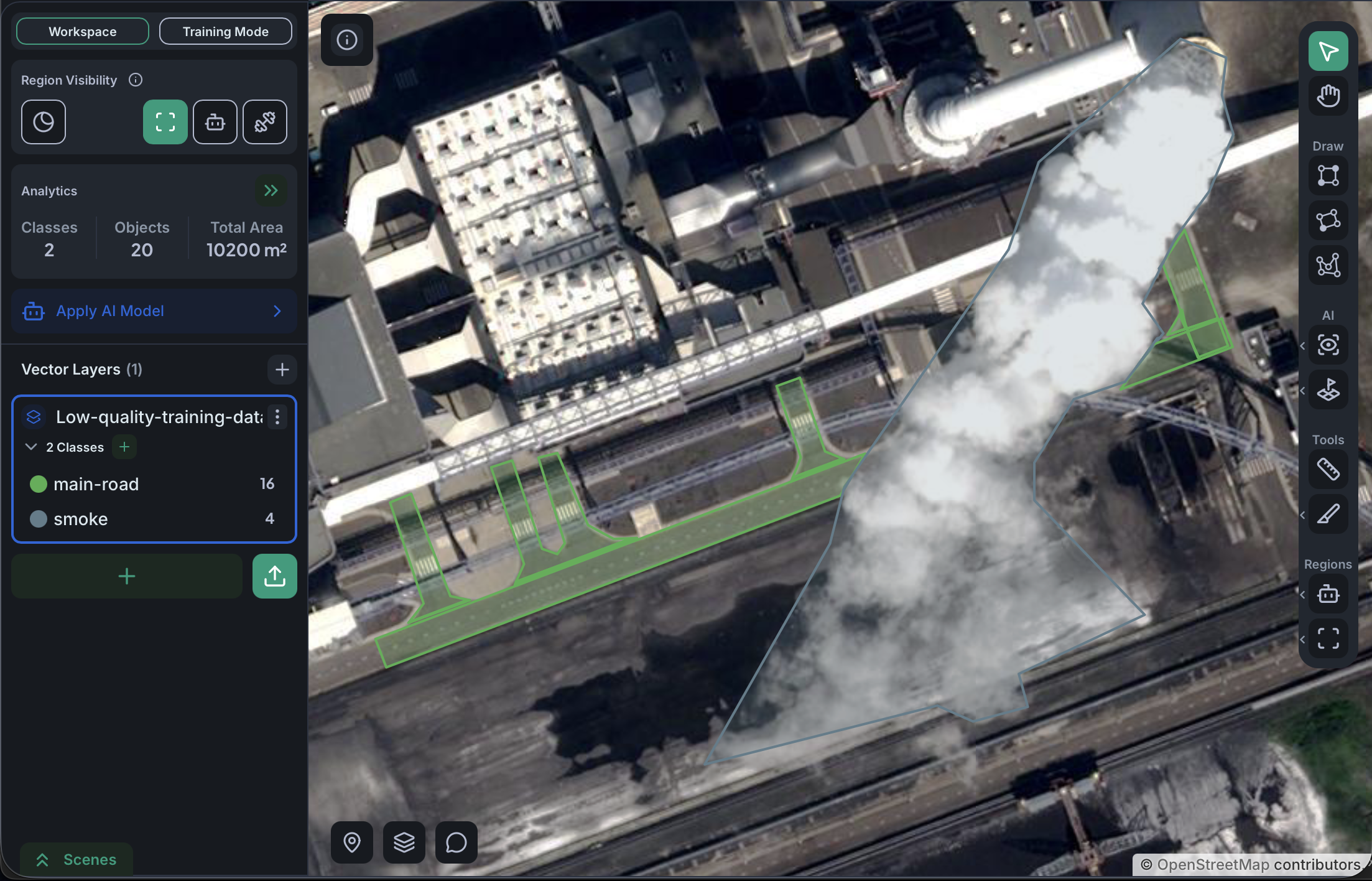
Place negative regions on visually confusing backgrounds
Negative regions teach the model what background looks like. Their value depends on where you place them. A negative region over featureless terrain (uniform desert, water, sky) adds almost nothing because the model already finds those easy to ignore. A negative region over something that visually resembles your class but is not your class (a roof that looks like a swimming pool, a hedge that looks like a tree canopy) is far more useful.
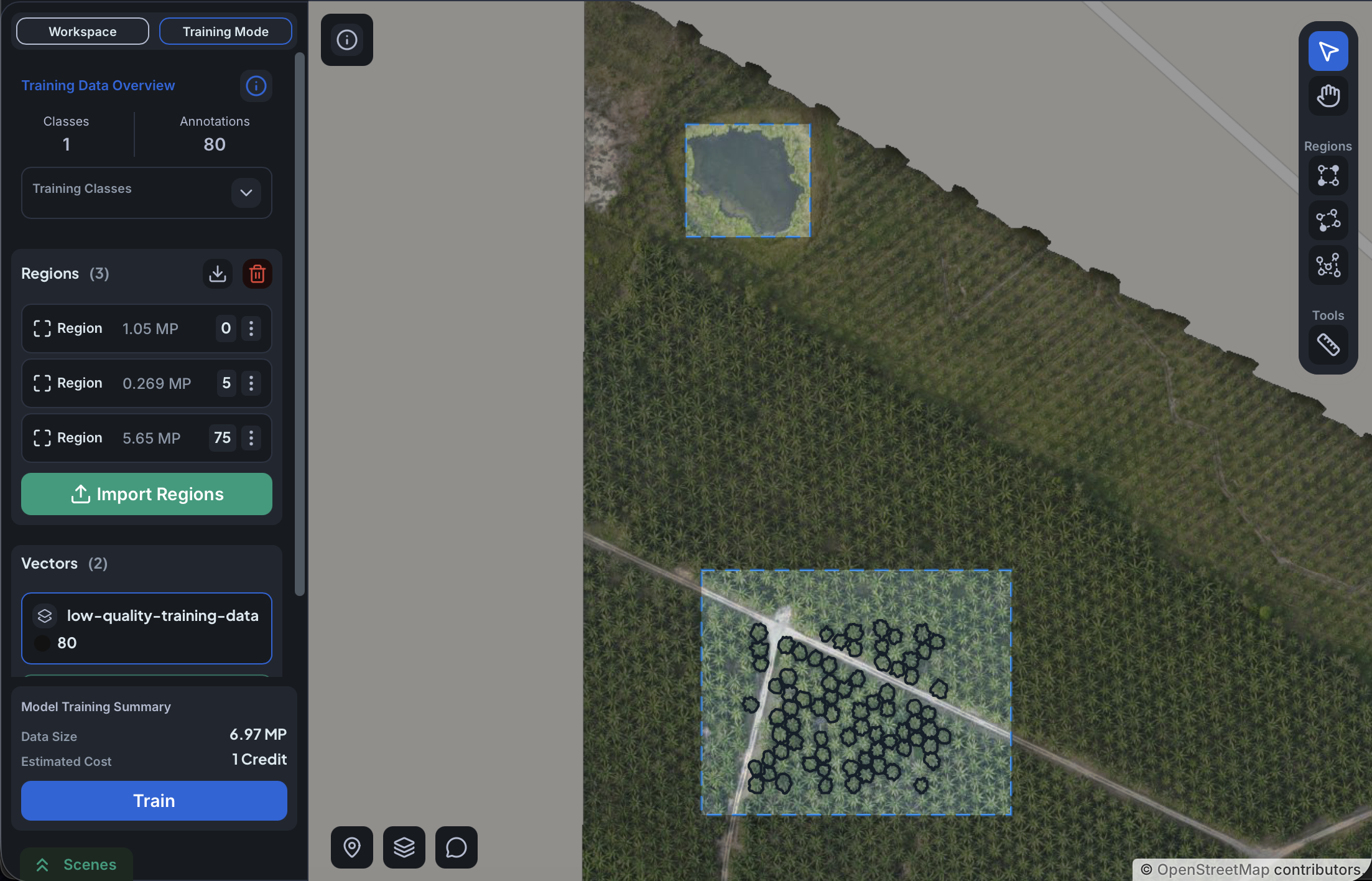
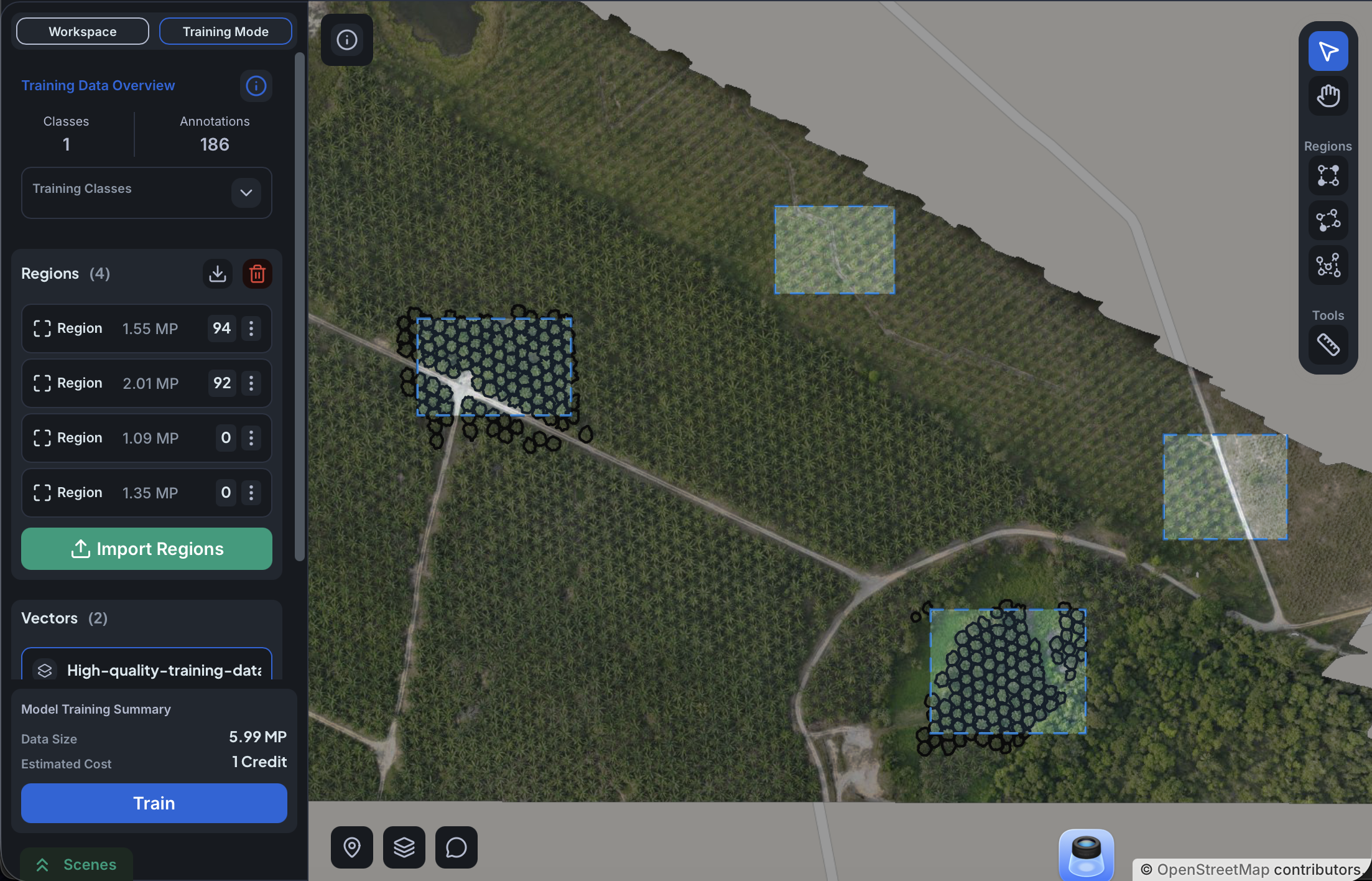
Add at least one negative region per trained class, and add more in the areas where the model is most likely to produce false positives.
Plan for enough instances per class
Per class, in rough bands:
- Below about 30 instances, the model usually fails to learn the class.
- Around 100 instances, it starts to work for visually distinctive classes.
- Around 300 instances and above, it works reliably for most classes.
- Past about 1,000, returns diminish quickly. If you can spend that effort elsewhere (more class variety, better negative regions, harder examples), do so.
These numbers shift with the difficulty of your classes. Visually distinctive classes (water, urban, large fields) work near the lower bound. Visually similar classes (different tree species, different crops) need substantially more, and may not reach the same quality at any volume.
For semantic segmentation, instance count is a useful proxy only when polygons are roughly similar in size across classes. When sizes vary a lot (a road class with a few long polygons vs a tree class with many small ones), polygon count is misleading: a few large polygons can carry more information than many tiny ones, and vice versa. In that case, think in terms of total annotated area per class rather than polygon count.
Match your annotation distribution to real-world frequency
The model treats the distribution of your annotations as the prior probability of each class at inference. If a class is naturally 25% of objects in your area and you annotate it 50/50 with the common class, the model will over-predict it at deployment and produce false positives.
Annotate each class roughly in proportion to how often it actually appears in the area you intend to apply the model to. The exception is when missing a rare class is much worse than over-flagging it (defect detection, safety-critical use cases). In that case, deliberately oversample the rare class, accepting more false positives in exchange for higher recall.
For semantic segmentation, the relevant proportion is annotated area per class, not the number of polygons. Match the total area covered by each class to how much of the imagery that class occupies in reality, regardless of how many polygons you drew to cover it.
Use multiple models when classes are many or very similar
A single model handles up to roughly 15 to 20 classes for object detection, or 8 to 12 for semantic segmentation, before per-class quality starts to drop. When classes are also visually similar to each other, the practical limit is lower.
A useful pattern: train a coarse model to find broad categories (forest, water, urban), then run separate specialized models on the regions each coarse class identifies (oak vs pine inside forest). Each specialized model only has to distinguish between visually related things, which is easier than distinguishing every category at once. You train and apply each model in sequence yourself.
When the classes the specialized model has to tell apart look almost identical as objects, the model will rely more on the surrounding context (background, neighboring features, scale cues) than on the objects themselves, because that is where most of the visual difference lives. Make sure your training regions for that model include enough of that context to use.
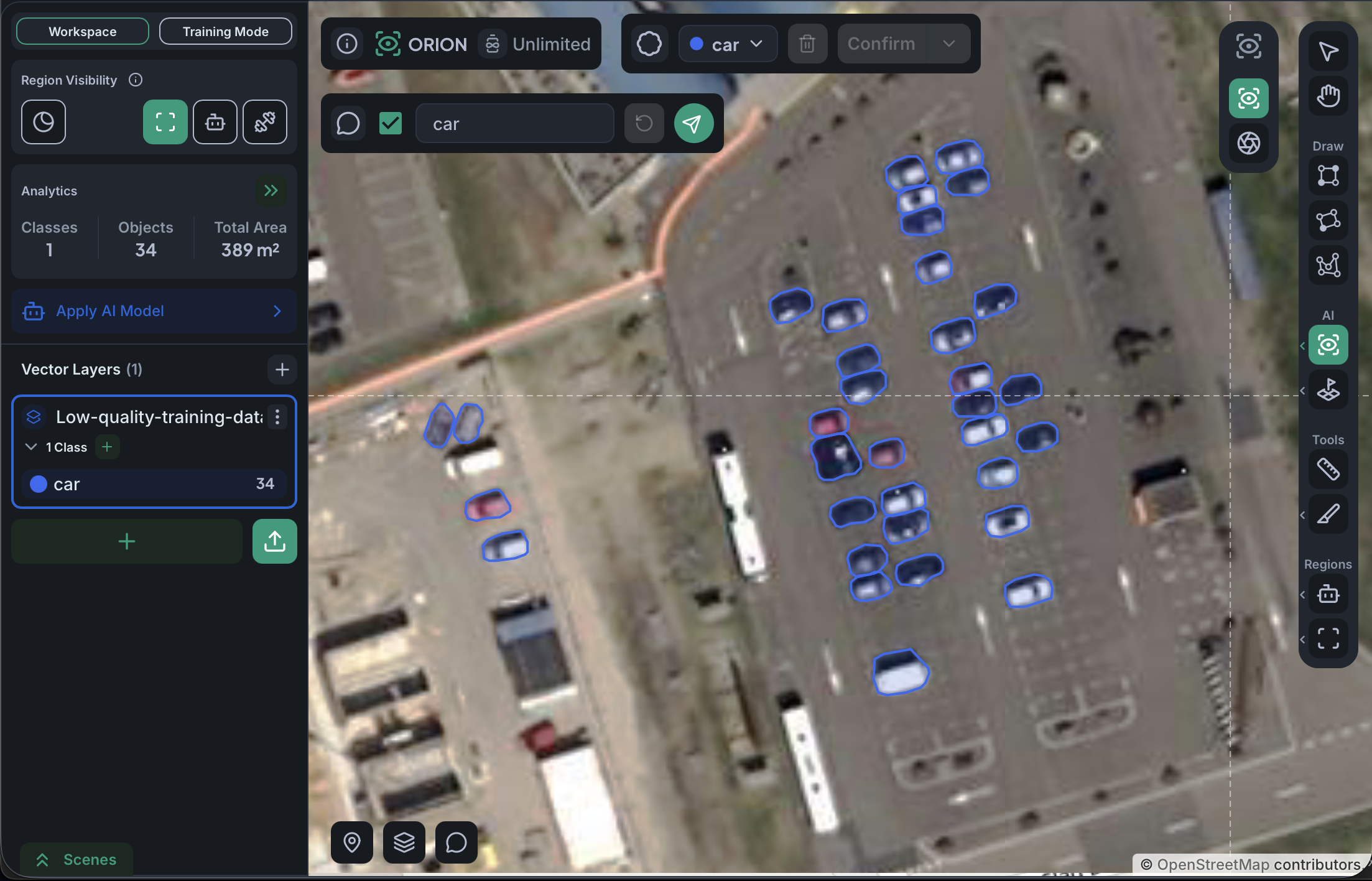
Resolution also caps what specialization can achieve. At the imagery resolution shown below, a "detect any car" model is reasonable. A "cars vs vans" model on the same imagery is not, because the visual difference between those two classes sits at or below the pixel limit. Before splitting into specialized models, confirm that the imagery has enough resolution to support the distinction you actually want.
When the first model is bad, check these before adding more data
In order:
- Look at your training regions on the raster. Is every visible instance of the class annotated inside each region, including any area inside the bounding rectangle of a non-rectangular region?
- Compare per-class instance counts. Is any class below 30 instances? Is one class far more annotated than another?
- Look at where the model produces false positives and add negative regions there.
- Check that the model type fits the task. Object detection for discrete countable objects. Semantic segmentation for continuous coverage.
More annotation rarely fixes a model that has a structural problem in one of these. Fix the structure first, then add data.